If your med spa website gets visitors but few inquiries, look at what happens between the first click and the booking form. Visitors may like the photos yet struggle to find the treatment they want. Others may reach the form while still wondering about recovery or cost.
The best med spa websites help people make those decisions as they move down the page. Each web design element should show visitors they’re in the right place, give them enough information to assess the clinic, and make the next step easy.
Below, we’ll look at each part of a treatment landing page and what to put in it. We used real clinic pages as examples of useful design choices to help you put these ideas into your own website.
1. Start with a hero that matches the visitor’s search
The first screen should tell visitors what the page covers. “Laser treatment for redness in Dallas” gives someone more to work with than “Reveal your best self.”
Name the treatment or concern, include the location when it matters, and offer one main action. Add a short sentence about the service and what happens next. A button labeled Book a consultation works when it leads to an actual consultation booking.
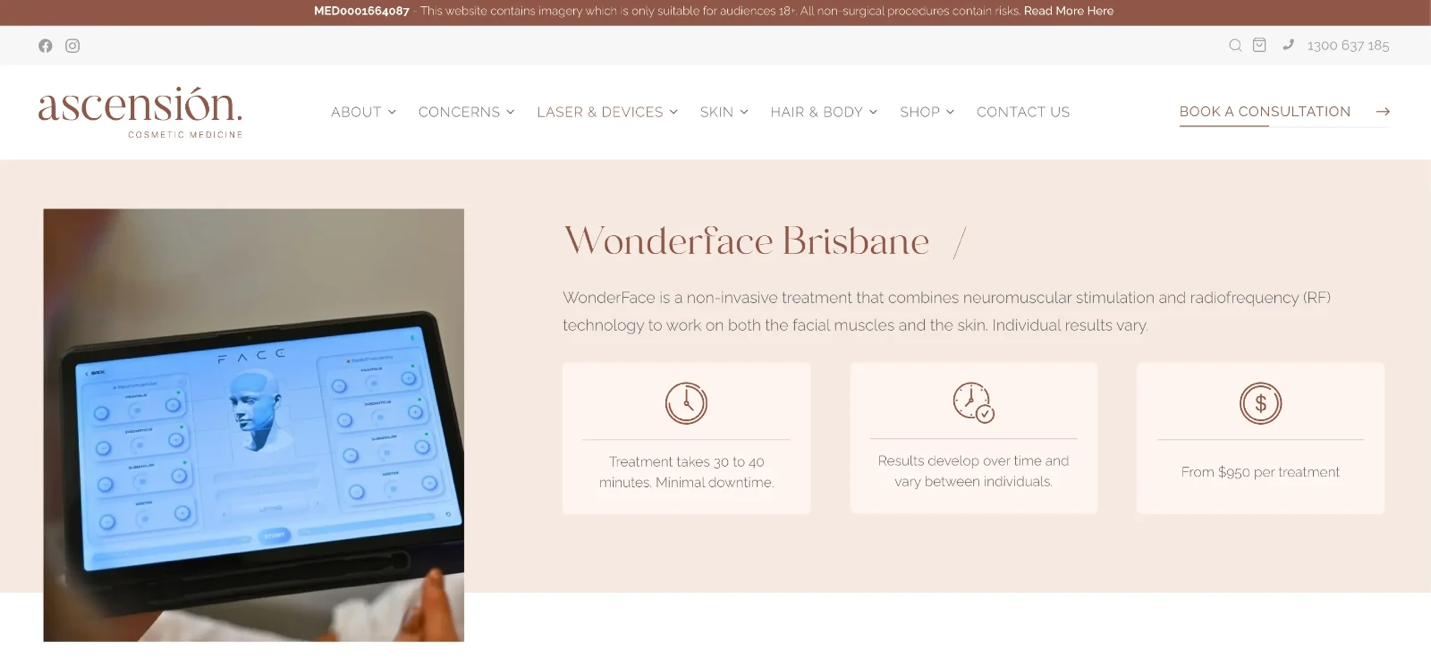
Ascension’s WonderFace page names the treatment, explains the technology briefly, and offers an appointment link right at the top. Visitors can understand what the page is about without having to scroll.
Match the page to the link that brought someone there. If an ad mentions treatment for a specific concern, send visitors to a page that addresses it.
The same applies to SEO: someone searching for a treatment and location should find those details quickly after clicking a search result.
For more ways to bring nearby patients to the right page, see our guide on how to market a med spa through local search and other channels.
Choose button text that describes the action. "Request an appointment" sets a different expectation from "Choose a time." Remember, the page should use the wording that fits your booking process.
2. Make treatments easy to find
A medical spa may offer dozens of services, but visitors don’t always know their names. Some search by concern, such as skin texture or redness. Others want a facial but haven’t chosen a treatment.
On a broad service page, group links by concern, treatment type, or area of the body. Explain where each link leads.
For these sections, navigation matters more than decoration. A large menu can look impressive while making visitors work too hard to find a service. Check whether someone unfamiliar with your clinic can reach the right treatment page in a few taps.
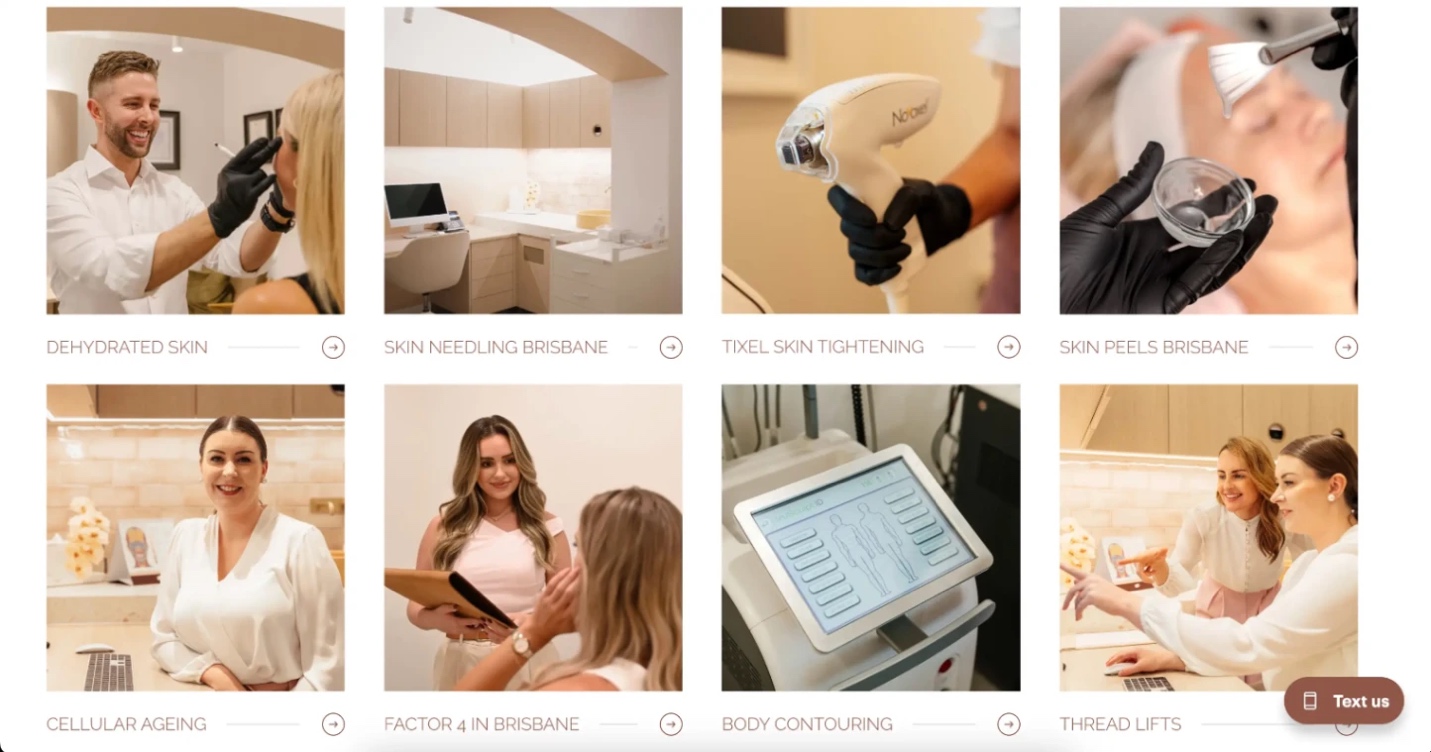
Ascension’s skin treatments page lists concerns such as dehydrated skin alongside treatment names such as skin peels. It shows two ways visitors can find a relevant page, whether they know the procedure name or only the concern.
On an individual landing page, keep the focus narrower. Explain the treatment first and then link to alternatives when they help a visitor compare options. Leave the full service menu in your main navigation for easy access.
Your brand can still come through in the photos, type, and colors. A good med spa website design helps people recognize your clinic while keeping the booking action easy to spot.
3. Explain the treatment before asking for a booking
Once someone finds the right page, they need more than a list of benefits. Explain what happens during the appointment, who may be suitable, and what the provider will assess.
Cover the details that could affect someone’s schedule or comfort: session length, possible discomfort, number of visits, recovery, and aftercare. Break them into short sections with headings people can scan.
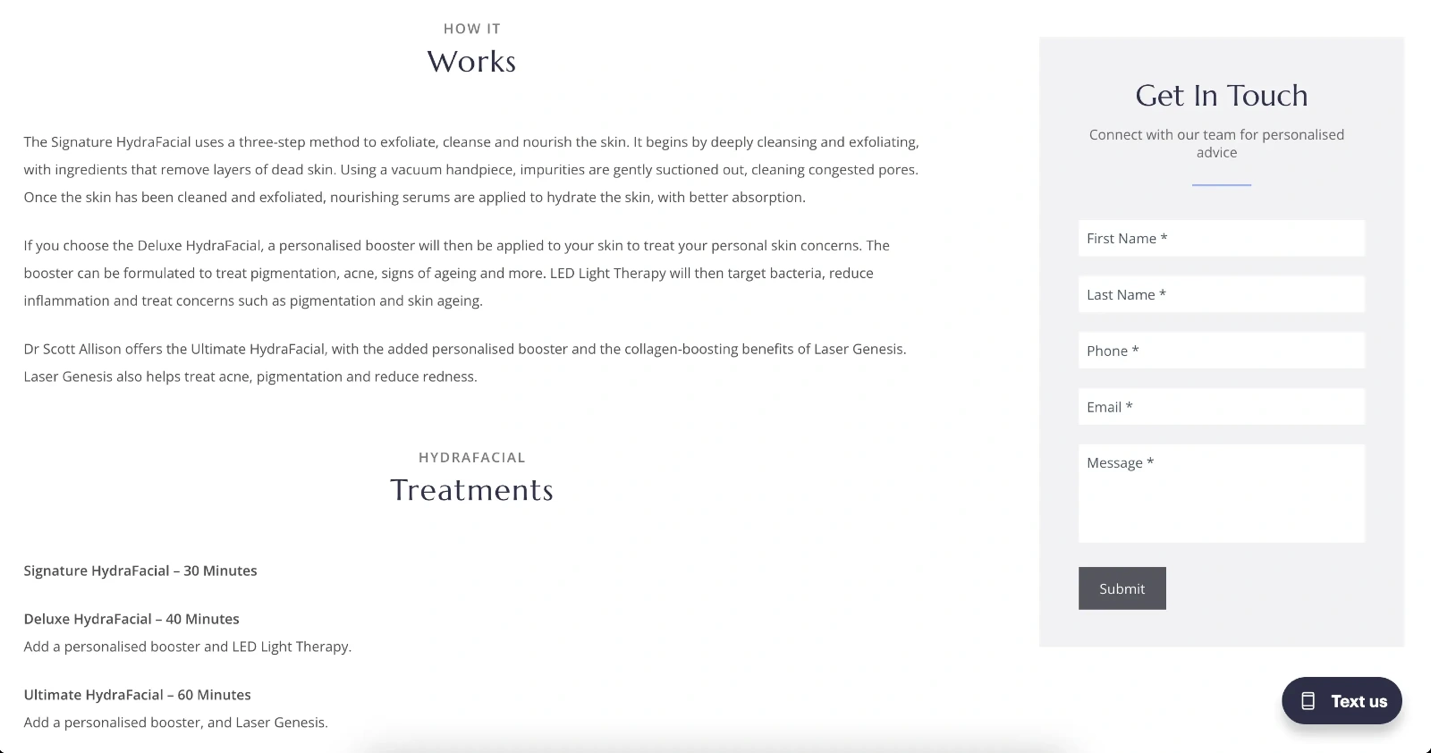
Dr. Scott Allison’s HydraFacial page explains the treatment steps and lists appointment lengths for three options. Visitors can compare what each option includes and plan around the time needed. The page also covers suitability and aftercare further down.
Keep claims about results within what your evidence supports. The FTC’s guidance on health-related advertising claims says advertisers should consider the impression a claim gives consumers and whether the evidence supports that claim.
Write like you’re explaining the basics to a new patient. Use familiar words, define clinical terms when needed, and make room for an assessment where the answer depends on the person.
4. Show who provides the treatment
A visitor may be choosing a practitioner as much as a procedure. Introduce the person who assesses or treats patients, and give details relevant to that service.
A useful provider section can show a name, photo, role, qualifications, and a link to a full profile. If several people are involved, explain what each person does. Avoid making visitors guess who they’ll meet.
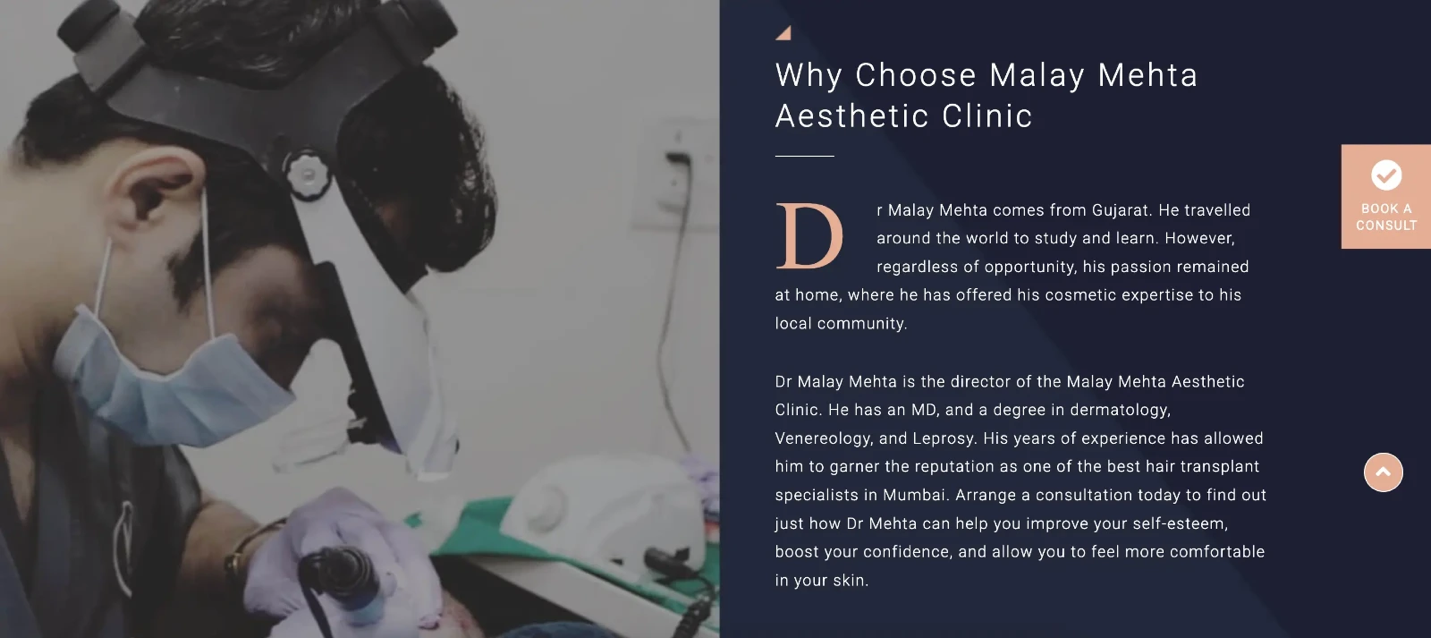
Malay Mehta Aesthetic Clinic’s scalp micropigmentation page includes a “Why Choose Malay Mehta Aesthetic Clinic” section. It identifies Dr. Mehta as the clinic director and describes his qualifications and background. Visitors can learn about the provider without leaving the service page.
Place a short provider introduction near the treatment details or booking button. Include relevant qualifications, and link to a full profile if visitors want to learn more.
Keep provider names, roles, and appointment details up to date so visitors know who they may meet.
5. Give visuals and reviews useful context
Before-and-after images, reviews, and patient stories can help visitors assess a clinic. They work harder when you tell people what they’re seeing.
Label each result with the treatment and when the photo was taken after it, if those details are available and approved for use. Use consistent presentation, explain that results vary, and get the permissions needed before publishing patient photos.
Malay Mehta Aesthetic Clinic’s homepage shows hair restoration cases with procedure and timing details. Hair restoration differs from many med spa treatments, but the approach to labeling a result is useful across aesthetics: visitors can assess an image better when they know what happened and when.
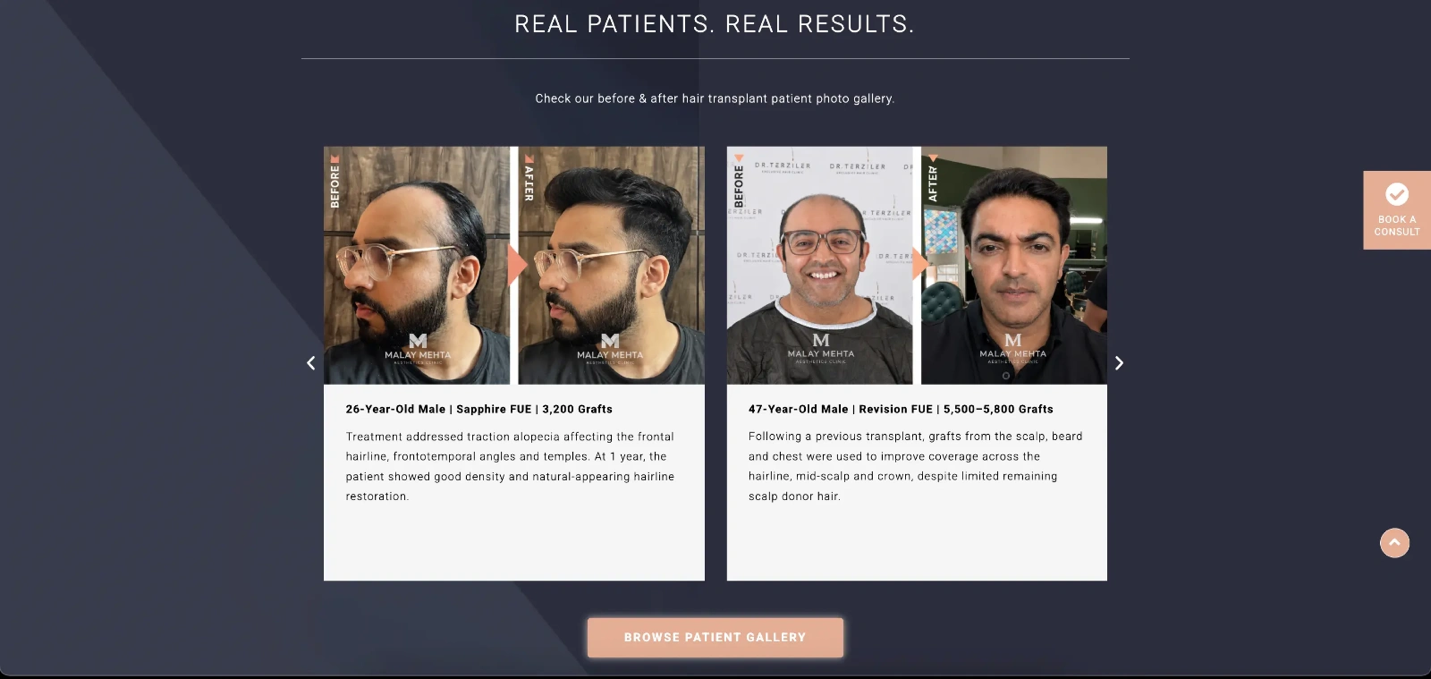
A few relevant examples are easier to follow than a huge gallery. Link to the full gallery for visitors who want more.
Give reviews context as well. Show their source when you can, and don’t present a rating without checking that it’s current. The FTC’s consumer review and testimonial guidance covers practices that can mislead customers.
Reviews can also help people find and assess a clinic before they reach its website. Our post on ways to attract new med spa clients covers how reviews fit into that broader work.
6. Address cost and explain the first appointment
Price can be part of the decision even when a treatment needs a personal quote. If you can publish an accurate starting price, state what it includes and what may change after an assessment.
If a figure wouldn’t be useful, explain how visitors will get one. Say whether there’s a consultation fee or deposit and when payment is due. Don’t make someone submit a form just to find out what the advertised price covers.
Then explain the appointment behind your call to action. State whether it includes a provider consultation, a discussion of goals, a skin assessment, or treatment that day. Tell visitors what to expect, and explain when treatment depends on an assessment.
Ascension’s initial consultation page describes parts of its assessment, including clinical images taken before the consultation. Visitors get a better picture of the appointment the page invites them to book.
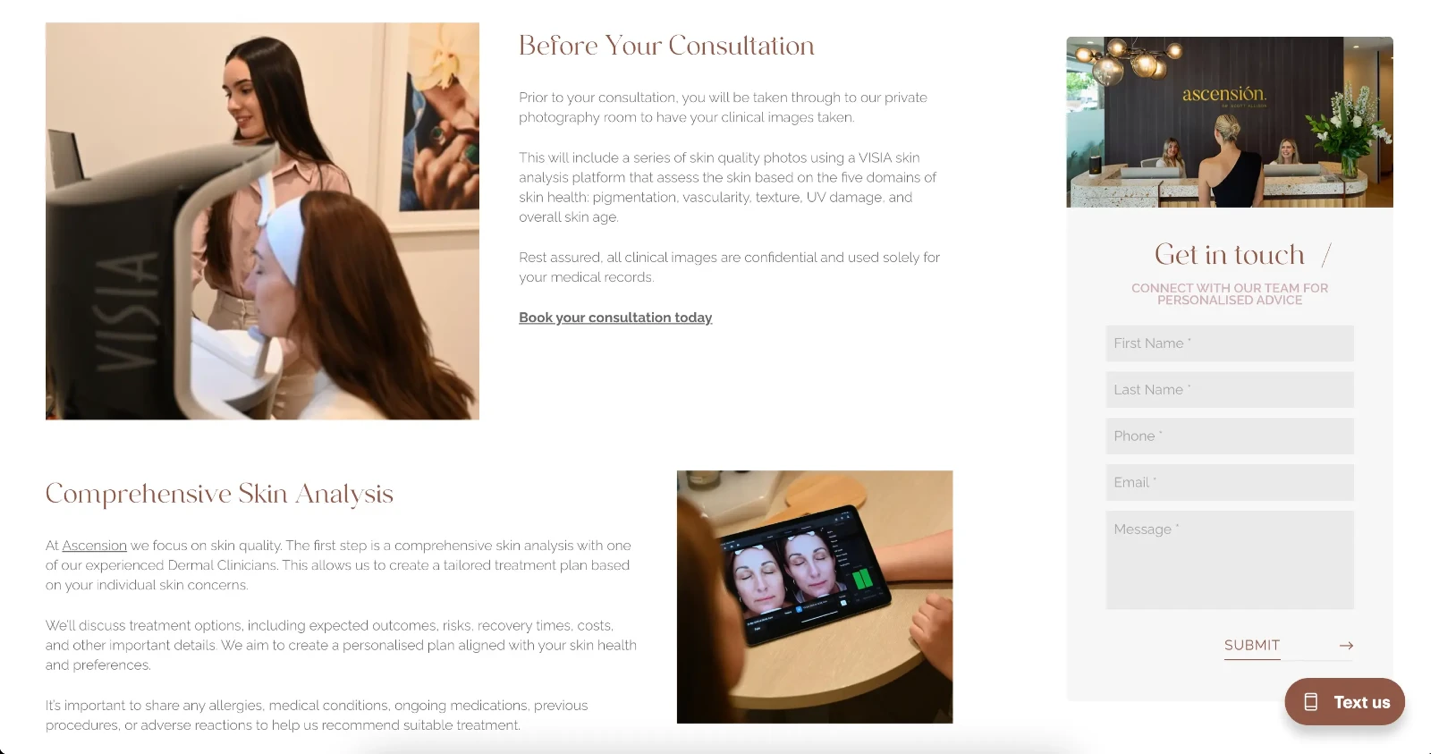
Keep these details close to a booking prompt. Someone ready to act shouldn’t need to search another page for the fee or the next step.
7. Put common questions near the final call to action
An FAQs section should handle the reasons people pause before contacting you. For most treatment pages, that means suitability, discomfort, downtime, aftercare, the number of sessions, and cost.
Dr. Scott Allison’s CO2 laser page separates questions about suitability, the procedure, recovery, downtime, and care afterward. Visitors can scan straight to the issue that matters to them.
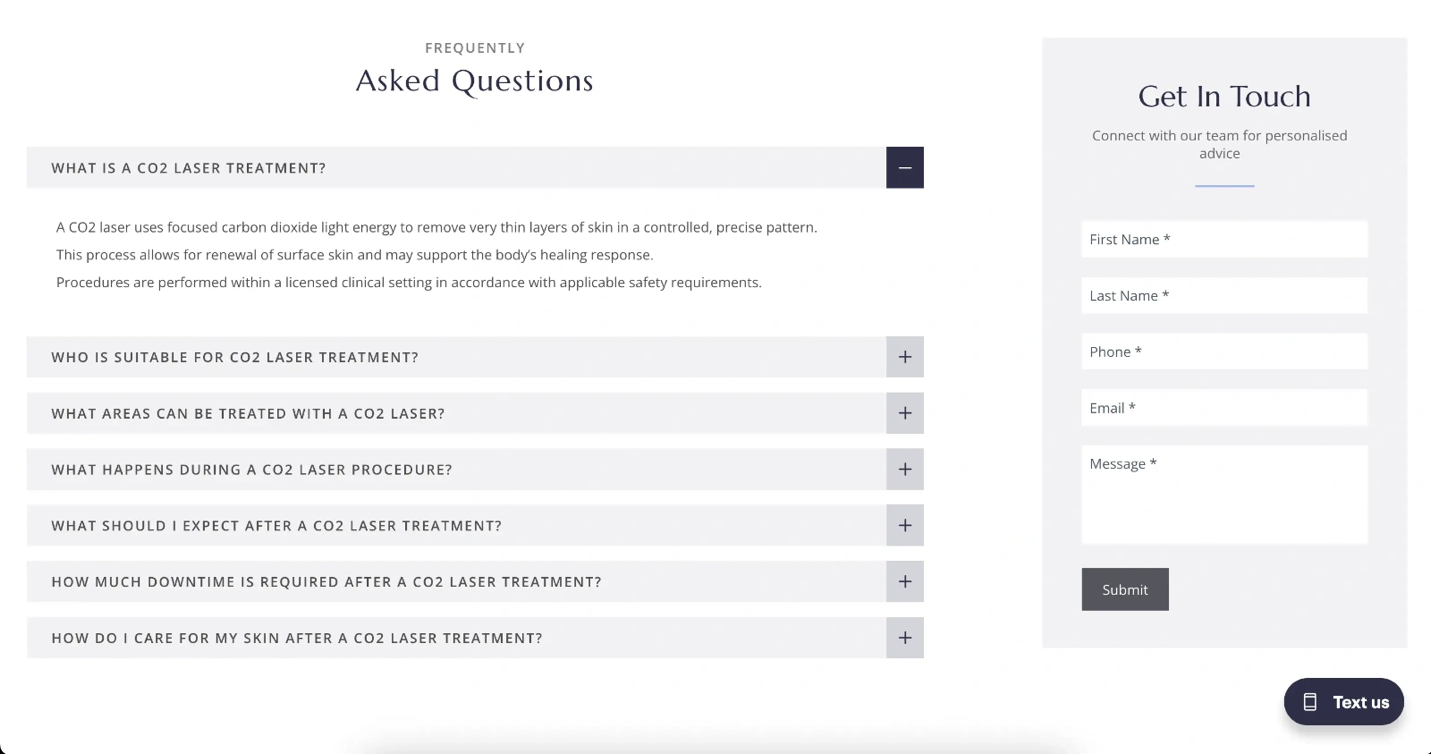
Give each question a useful answer before inviting someone to consult the clinic. “Book to learn more” repeated six times leaves the visitor with the same doubts.
The best med spa websites use questions heard at the front desk to improve these answers. Ask your team what people raise before booking, then fill gaps in the FAQs or the service explanation above.
End the section with a call to action that fits the page. "Book a treatment consultation" tells a visitor more than "Get started."
8. Make booking work easily on mobile
Put a booking button near the top, after the main treatment details, and near the end. Use the same action each time unless visitors have a choice between different next steps.
Keep an inquiry form short enough to start a conversation. Your clinic can gather medical details through its proper intake process. Label each field, identify which ones are required, and show people how to fix errors. The W3C’s form guidance covers these basics.
Ascension’s skin treatments page offers a consultation booking action and a contact form with name, phone, email, and message fields. Its form gives you a concrete example to inspect at phone width: check the field sizes, typing effort, and route from the page to booking.
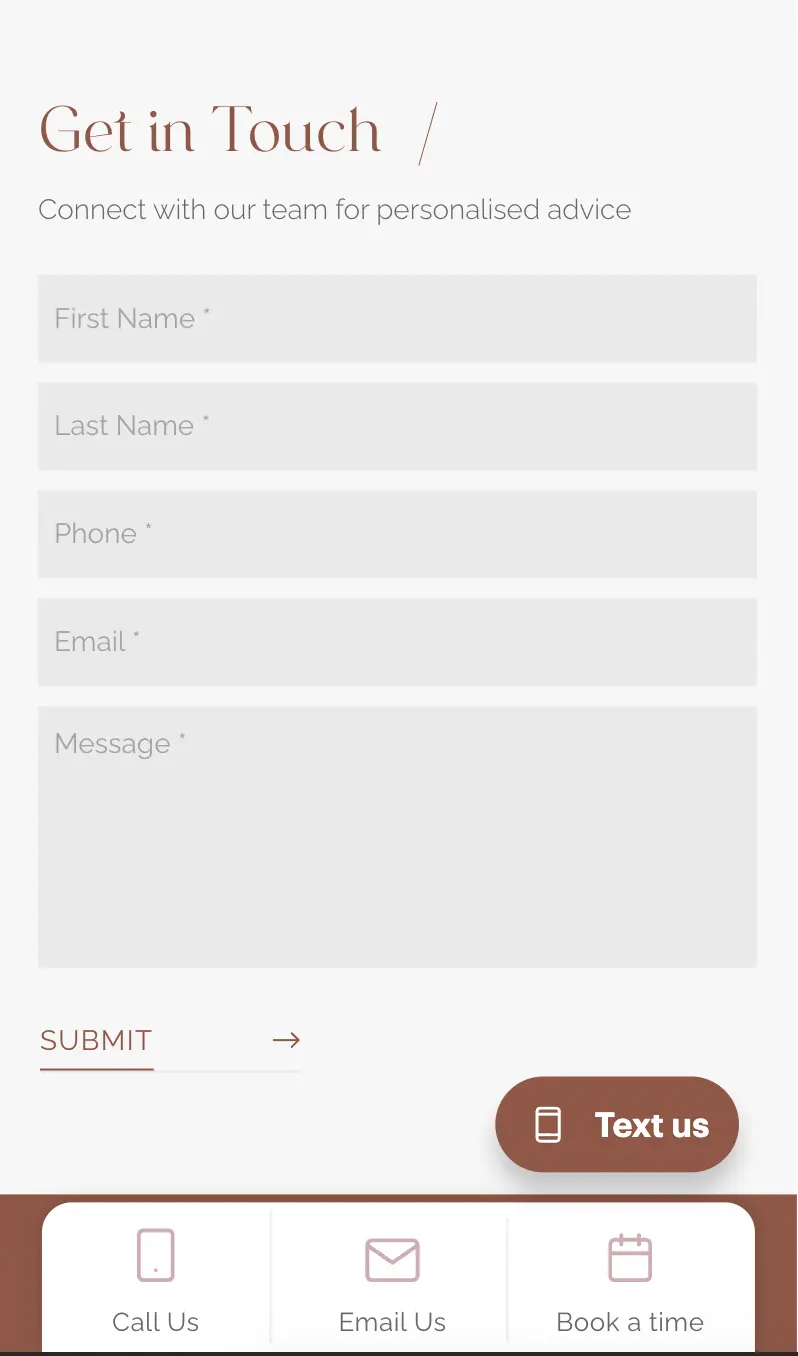
Test more than the visible page. On a phone, tap the button, complete the form or calendar, and check the confirmation. Look for tiny fields, hidden buttons, and a booking system that asks visitors to reenter information.
Large images can slow the process. Google’s Web Vitals guidance explains measures for loading, responsiveness, and visual stability. PageSpeed Insights can help you inspect a page, but a real booking test may reveal problems that a score alone misses.
Treat this as ongoing optimization. Track which treatment pages lead to inquiries and booked appointments, then review the steps where visitors leave. If repeat visits are part of your goal, read our guide to improving med spa client retention after you’ve fixed the first booking.
Build around the booking decision
The best med spa websites help visitors find a treatment, assess the provider, get their questions answered, and book with confidence. Review those steps on your highest-traffic treatment page first, then use real inquiries and bookings to guide changes.
If you’d like help finding what’s holding your pages back, contact our team at Cosmetic Clinic Marketing. We can review your website and improve your medical spa website's booking flow.